Follow Us
Popular posts
- Results of Our 2013 CAD Survey
- 10 Tips for CNC Router Aluminum Cutting Success
- Low End CNC Machines as Motion Control Platforms in Manufacturing Cells
- More on Using CNC’s as General-Purpose Motion Platforms
- Video: CNC Router as Pick and Place Machine
- MIT Students Create Hand-Held CNC Router: You Gotta See This!
- DARPA’s Pick-Pocket Drone Robot
- 19 Ways to Design Parts So They’re Easier to Manufacture
- 3D Printed Phone Case is Kinetic Art
- Chamfering Feeds and Speeds with G-Wizard Calculator
Recent Comments
- Brad on 19 Ways to Design Parts So They’re Easier to Manufacture
- Jamie Fritz on Low End CNC Machines as Motion Control Platforms in Manufacturing Cells
- Jamie Fritz on 10 Tips for CNC Router Aluminum Cutting Success
- 3D Printed Phone Case is Kinetic Art - CNCCookbook CNC Blog CNCCookbook CNC Blog on Kinetic Gear Sculptures for the Desk
- Carbon Fiber Ghost Watch - CNCCookbook CNC Blog CNCCookbook CNC Blog on Carbon Fiber Wingtips for a Jet Fighter
Categories
- 3D Printing (26)
- Beginner (92)
- Blog (611)
- Business (58)
- CNC Projects (119)
- CNC Router (29)
- Cool (145)
- FeedsSpeeds (49)
- GCode (55)
- Guest-Post (10)
- Manual (8)
- Manufacturing (1)
- Products (50)
- Software (183)
- Techniques (227)
Too Much Stickout Can Ruin Your Day (And Your Cutter & Job!): Use G-Wizard to Check It
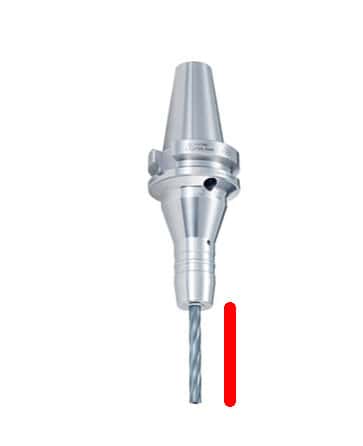
Somewhere early in my machining background I internalized the virtues of minimizing tool stick out. I remember very early purchasing a set of screw machine length twist drills just because they were shorter and less likely to flex than the jobber length many are used to from the hardware store. I could see and feel the difference quite easily. I also don’t buy many long cutters–they cost more money and you’re tempted to hang those lovely flutes out there too far.
But, not everyone has had the evils of excess stickout ingrained.… Read the rest
Knowledge-Based Machining Comes to G-Wizard!
Knowledge-based machining comes to the G-Wizard Calculator with the latest release 1.026. The Cut Knowledge Base is now live. It’s a special purpose database where you can record your experience with various cutting parameters as an aid to tuning up your feeds and speeds.
“Knowledge-Based Machining” is a popular buzzword in the high-end CAM market today because it involves capturing a shop or machinist’s best practices and making it easy to reuse the best practices on all jobs. Every time we make a cut, we have the chance to try something new and perhaps learn from it.… Read the rest
Custom Tool Data for a Sandvik R390 90 Degree Face Mill
G-Wizard has the ability to import custom tooling data so you can set it up with your manufacturer’s recommended surface speed and chipload. Our list of downloadable tool profiles is available on the download page. It can make quite a difference. For example, here is a 2 1/2″ wide cut, 0.050″ deep in 4140 with the Sandvik R390 and CT1030 grade inserts:
614 rpm and 14.7 ipm…
The default facemill data for the same cut would have us using running 217 rpm at 9.8 IPM. That’s a material removal rate of 1.2 versus the 1.8 ci/minute with the factory data.… Read the rest
10 Questions You Could Answer If You Had a Cut Knowledge Base
First question you might like to answer is, “What the heck is a Cut Knowledge Base?”
Simply put, a Cut Knowledge Base (hereafter referred to as a “Cut KB”) is a way of organizing your notes about what worked and what didn’t to make it easy to answer all sorts of interesting questions. All good machinists keep notes and try experiments to see what they can learn and improve on. If you’re doing a job that involves a manufacturing a lot of parts, you have an opportunity to do some experiments on successive runs to try to improve your productivity and drive down costs.… Read the rest
Amazing Projects with CamBam
Some of the lower end CAM programs are capable of some amazing work. Here are some samples done with CamBam: A 747 made from aluminum. Very cool 3D work! Watch chassis with “tabs” for fixturing… Watch part… There is the part installed… CamBam scored pretty well on the CAM Survey (below). I’m starting to see why!… Read the rest
The Results are in on the CAM Package Survey
Wow! We had a lot of folks participate in the CAM package survey. Thanks very much for your time!
And now it’s time for the results.
We’re dealing with two radically different groups here. It’s not really fair to compare an under $1000 CAM package against a full-featured package costing many thousands of dollars and up. At the very least it would give a pretty distorted picture of the relative appeal of these packages in the overall market. So I’ve divided the results into two camps based on the price of the package.… Read the rest
Which CAM Package Do You Use?
I’m starting to do the research that is a precursor to building integrations between the G-Wizard software (calculator and editor) and various CAM packages. Towards that end, it will help me greatly to have some idea the relative popularity of the various packages since I won’t be able to build integrations for every package all at once.
If you have a spare minute, please take the CAM Package Survey. It’s just one question and I promise, it won’t hurt a bit!
Click here to take the CAM Package survey… Read the rest
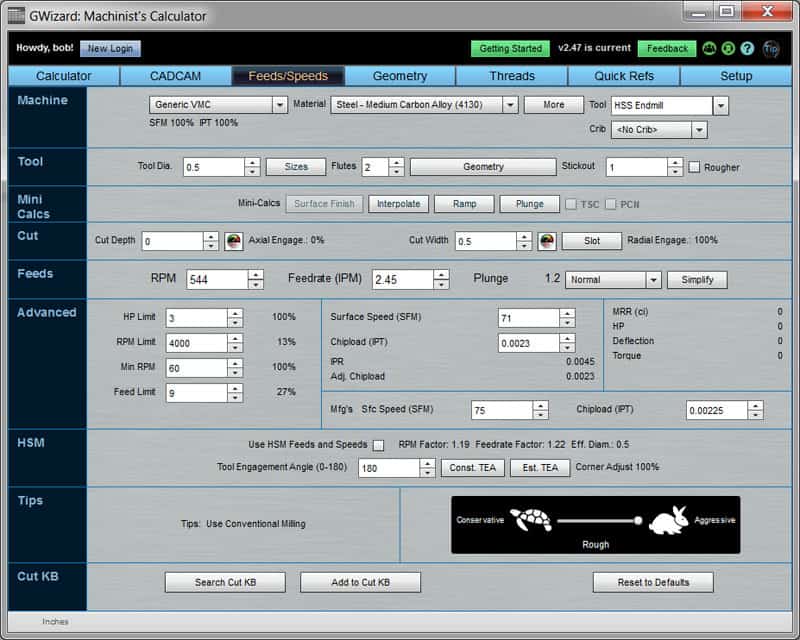
G-Wizard High Speed Machining Feeds and Speeds
The G-Wizard Machinist’s Calculator has a new HSM Feeds and Speeds feature:
HSM Toolpaths can estimate your Tool Engagement Angle, tell you how much to slow down in corners, and tell you how much faster your feeds and speeds can be if your CAM program generates HSM toolpaths with constant tool engagement angles…
“HSM” refers to “High Speed Machining”, a collection of modern techniques designed to wring maximum performance out of CNC machine tools.
The HSM section provides several tools for dealing with the effects of Tool Engagement Angles (also called Cutter Engagement Angles).… Read the rest
G-Wizard G-Code Editor Gets a Little Touch of 3D Graphics
Sometimes, it’s the little things that help out usability. I added a 3D rendering of the tool to the G-Wizard G-Code Editor and suddenly it’s much more obvious what’s going on in the simulation:
Check out the G-Wizard Editor Beta Test: It’s Free!… Read the rest
CNC Embroidery
Somehow, I never tire of finding new CNC applications. It’s gotten to the point where it’s relatively cheap to create custom CNC controllers for odd applications, or in this case, custom CNC software. This is Khalid Khattak’s CNC Embroidery program:
Visit Khalid’s blog for more information…
If you’re doing something unusual with CNC, drop me a note so I can write about it!… Read the rest
A Peek at the Upcoming G-Wizard Cut Knowledge Base
What’s a Cut Knowledge Base (KB for short) you ask?
It’s a way to dramatically enhance your feeds and speeds based on the real world performance of your machines, tooling, and shop practices. Look at it this way–wherever you’re getting your feeds and speeds inputs, be it a sophisticated calculator like G-Wizard, or directly from your tooling manufacturer’s data sheets, that information is a set of recommendations to use as a starting point. The more variables it considers, the better the starting point you get, which is why many of our G-Wizard customer’s like the product so much.… Read the rest
Part 2 of Tool Data Management with Tool Presetting, TDM Software, Chatter Management, and More
I just posted Part 2 of my two-part series on Tool Data Management. Part 1 was all about what kinds of data you’d be managing such as Tool Length Offsets.
Tool Presetter…
Hopefully you’ll come across a thing or two of interest!… Read the rest
New Home Page and Screen Shots for G-Wizard G-Code Editor
The main screen with a popup “hint” showing…
Backplot / Simulator running a part program…
“Hints” tab with a couple of errors showing…
Check it out and sign up for the free beta test…… Read the rest
Tool Length Offsets and Tool Data Management: A New CNC Cookbook Recipe
Managing your tool length offsets and other tool data is essential for successful CNC work. This new two part Cookbook Recipe article delves into topics like:
- How Tool Length Offsets are used
- Pros and cons of positive versus negative tool length offsets
- The many flavors of touch offs
- Gage lengths and all that goes with them
- How to turn your VMC into a zillion dollar height gage
- Probe-style tool setters
- Tool presetters
- Tool data management
- The importance of consistent tool length for chatter
Hope you enjoy the series.… Read the rest
G-Wizard Now Has Support for Carbide and Form Taps
We’ve always been able to properly calculate the tapping drill size for cut and forms taps, but now we’ve added feeds and speeds for carbide cut, carbide form, and HSS form taps. As you will see, these taps can bring a lot faster tapping performance to the table (pardon the pun!). G-Wizard will also tell you when a combination is not recommended, for example form tapping hardened tool steel is not recommended.… Read the rest