Our first article in this series discussed how using Windows to solve all of the CNC Controller problem suffers because Windows is not a real time operating system. Simply put, if the task of sending motion control signals (step + direction pulses) to the motor driver hardware is interrupted, we have problems. Those signals get interrupted by a variety of distractions the machine may have ranging from other software running on the machine besides the CNC controller to energy saving software that kicks in to slow the processor to a variety of other issues.
What happens we don’t give the stepper or servo driver a clean stream of pulses?
Giving the motor drivers a pulse stream full of stops and starts is like driving a car with a clogged fuel filter that bucks and balks when you try to get crisp acceleration.
Think about the delays in the pulse train as introducing large arbitrary amounts of deceleration and acceleration into the motion of the axis. Whenever a step pulse is delayed, you get a big deceleration. When it shows up again, the axis must accelerate. This is tremendously wasteful of the motor’s torque, is far from ideal as a way to drive a cutter through material, and generally gums up the works.
Using DRIVERTEST.EXE, they measured performance of a 2.2 GHz Dell Optiplex 330. That machine exhibited an interrupt variation (variance from desired timing) of 14 microseconds. After substituting another computer that had a 2 microsecond variance, the machine went from being able to move the heavy Z-axis at 185 IPM to 245 IPM, graphic evidence of the amount of impact this sort of thing can have. Ironically, the machine with the 2 microsecond variance was actually a much slower CPU, it just had been more carefully configured to eliminate potential timing distractions.
Note: The astute reader will know that Tormach eventually abandoned Mach3 entirely, and now ships PathPilot, which is based on LinuxCNC. It’s interesting to note that they choose to include a Mesa Motion Control card with the new configuration too. I will talk more about LinuxCNC and motion control shortly, but for now, I just want you to be aware of this change so I can finish going over the benefits of Motion Control Boards for Windows and Mach.
Wow, I see the problem. Now how do we fix it?
Plan A: Can we eliminate the distractions for Windows through Software configuration?
Plan A: Eliminate Distractions. Not optimal, but better than nothing!
One school holds that the best way to eliminate the distractions for Windows that leads to these timing variations is to strip down the machine and software to where there’s nothing left but the Mach3 control software and Windows. If we eliminate the possibility of other software introducing distractions, we greatly increase the reliability of the machine.
This approach works to a certain extent, but it is still not optimal when compared to hardware motion control boards and it limits the potential of the controller machine. Users wind up disconnecting their machines from the Internet and crippling them until they become little more than Mach3 appliances. That’s a shame when there are so many useful resources on the Internet, and so much other software you might like to run than just Mach3 on your shop machine.
Another problem, pointed out to me by Henrik Olsson (thanks Henrik!) is “jitter”. Suppose we have a Mach3 kernel frequency of 20 KHz. We are reminded to send pulses every 20 KHz, assuming nothing interferes with our timing (and as we have seen, interference is a real possibility). What if the motion we’re commanding requires 23 KHz instead of 20 KHz?
The exact kernel frequency leads to a sort of “rounding off” or approximation of the pulses, because we can only send them to the accuracy of the kernel frequency. This causes subtle effects that for the most part are probably only of industry to industrial quality work, but they’re still an issue.
Interestingly, EMC2, which uses a real-time modified Linux kernel to reduce these “distraction” problems, runs at even lower kernel frequencies than Mach3 for a given machine, so is even more subject to jitter.
Still, if you insist on running through the parallel port, you should stick to a very minimal configuration for best results. You should also keep your axis motion dialed down fairly slow, so not very many pulses are needed to move the axes around.
Plan B: Add a Motion Control Board
Instead of Blinders, we could help Windows out with a Motion Control Board…
The more direct solution is the one we brought up in the first article: add a Motion Control Board to Mach3. This offloads the most finicky timing aspects to dedicated hardware that can do a far better job than the software versions ever will.
To get an idea, the pulse capabilities of a PC running Windows fall in the 20 KHz to 100Khz range. In other words, pulses for all axes cannot exceed 100,000 per second, and that’s under the best possible (almost theoretical) conditions.
The equivalent number for one of the cheaper Motion Control Boards, a Smoothstepper, is 4 MHz, or 4 million pulses per second. That’s 40x faster–no wonder you get so much better results!
A basic motion control card, like a Smoothstepper, can generate pulses 40x faster than most Windows parallel ports…
Let’s play with the math a little bit and see what this means.
Suppose we want a positioning accuracy per step of one tenth, or 0.0001″. If we want to be able to move at 100 IPM, that means we need 100 / 0.0001 or 1 million pulses a minute. That’s about 16,000 pulses a second, theoretically its within Mach3’s range, but is it within the range of error if Windows gets distracted? 16 KHz yields a 60 microsecond pulse interval. On the aforementioned Dell that Tormach was testing, they saw 14 microsecond variations, or about 23%. That’s really too much for smooth accurate motion–we’d prefer to see more like a 5% variation or less.
It is fortunate indeed that this problem does not becomes additive with the number of axes in motion. To interpolate a hole requires 2 axes moving in concert. To do that at 100 IPM requires 2 x the pulserate. A really fancy 3D profiling job is even worse, because you may need 3 axes moving in concert. Mach3 is able to trigger up to 6 axes at once, so the number of axes doesn’t create additional problems in the pulser.
These problems get steadily worse as we ask for the axes to move faster. Consider a machine like a Haas TM-1. Rapids speeds for this inexpensive VMC are 200 IPM–2 times faster than our example. Now we’ll need a 32 KHz kernel speed instead of 16 KHz, which starts to be pretty hard to do with Mach3.
The Smoothstepper’s 4 MHz rate means it can handle that with 100,000 / 4,000,000 or 2.5% accuracy–that’s about right for an industrial grade application.
You Can See the Difference
I hope you’re getting the idea that these Motion Control boards can provide a noticeable improvement in CNC performance. If you’re the sort of person who wants to run servos instead of steppers on your CNC for the performance, you certainly will want to run a Motion Control Board as well.
The difference in performance and surface finish is noticeable. In fact, depending on what you’re doing, you may not even be able to do it without a Motion Control Board. For example, our article on building a low-cost high-accuracy milling machine for micro-milling revealed they were unable to get clean features from Mach3 when running the parallel port. To fix the problem, they switched to Flashcut, which uses hardware motion control coupled with their proprietary (but Windows-based) control software to do the job.
Note that this will also affect the allowable feeds and speeds if you’re pushing the envelope. HSM (high speed machining) constant tool engagement angle toolpaths rely on the idea that the load on the cutter is constant–there are no “shocks” such as we find with conventional toolpaths as they plough into corners.
There is software out there that will fit arcs to a series of short line segments in your g-code to provide another form of smoothing. Running a cutter is not unlike running a race car on a track. The better drivers soon learn that any input takes away from the adhesion available from the tires. Slowing down in a turn at the wrong point can spin the car just as surely as accelerating too much or entering the turn with too much speed.
When your cut is unpredictably changing the feedrate by as much as 25% in a truly worst case scenario, it’s very hard to run that cutter close to its limits.
How Do I Install One of These Controllers?
Good news here: it’s pretty easy. I have used a Smoothstepper, for example. You plug it into the USB port or Ethernet (depending on which version you’ve purchased), tell Mach3 you’re using it, and then it simulates 3 parallel ports which you can connect to motor drivers (Geckos or other) in the usual way. For $155 – $180, you’re off and running with dramatically improved performance.
I ran my Smoothstepper rig using an old slow laptop. I ran the Internet and all sorts of other software on that old laptop, and Mach3 cut great on my machine–no struggle at all. I could even play my MP3’s so there’s a little music to offset the music of chip making.
The key is to find a Motion Control Board that’s already setup for your control software. Check out the directions on these boards, they’re usually pretty simple to get running, and different boards have a range of functions available.
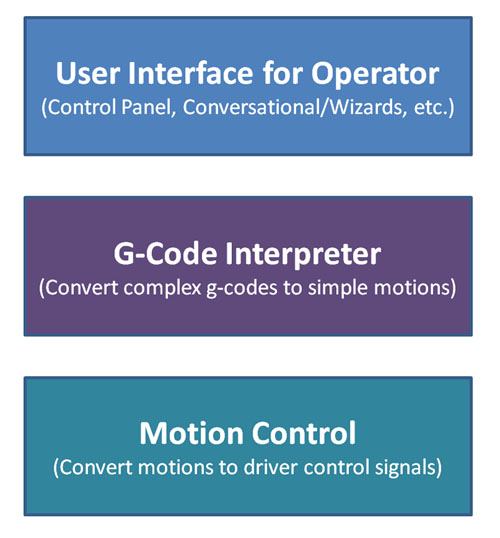
Going back to our 3 layer diagram, some boards incorporate the g-code interpreter layer on the board as well.
Motion Board Links for Mach3 Compatible Boards:
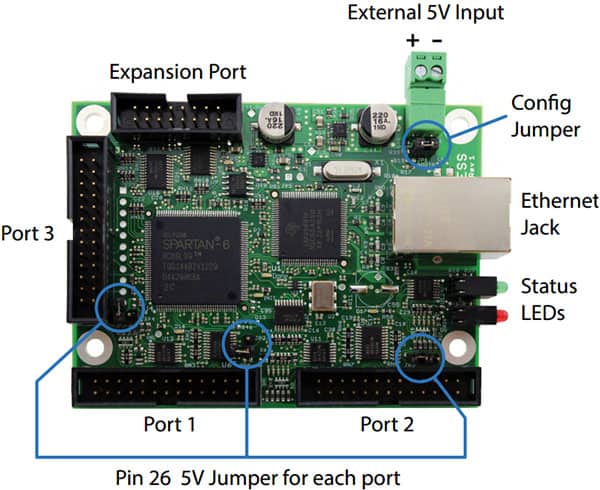
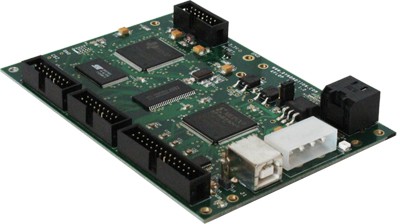
Dynomotion: KLFLOP motion control board has powerful DSP capabilities on board. It also has its own GCode interpreter so you need not use Mach3, or you can use their plugin and run with Mach3.
CNCDrive: UC100. This neat looking little gizmo plugs into your breakout board as if it was a parallel port. But the PC connects via USB. They have a plugin for Mach3 as well. I don’t know much about it, but love the idea and simplicity! They also have versions with more capability that are boards more like the Smoothstepper.
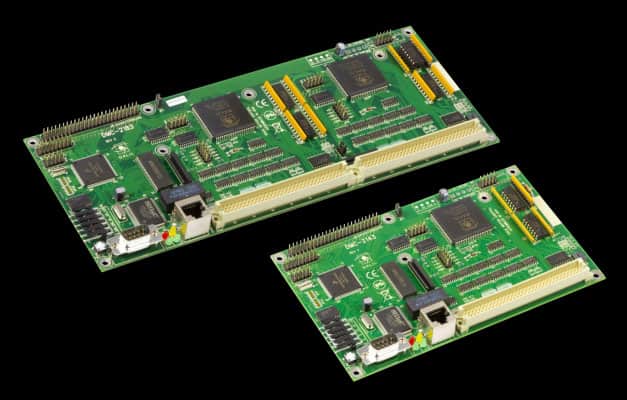
Galil: Galil motion control boards have been around a long time, have available Mach3 plugins, and are higher end alternatives. I’ve personally seen a Galil card work well with Mach3 to make molds for a carbon fiber project. Be sure to check Galil’s application notes to see which of their products are Mach3 compatible.
Coming Soon: I’ll be doing a 3rd installment in this series to discuss Motion Controllers for LinuxCNC and also single board CNC Controllers. Sign up below for our Weekly CNC Newsletter so you won’t miss the new installment and to get some really useful CNC resources that only go to our subscribers.
Like what you read on CNCCookbook?
Join 100,000+ CNC'ers! Get our latest blog posts delivered straight to your email inbox once a week for free. Plus, we’ll give you access to some great CNC reference materials including:
Bob is responsible for the development and implementation of the popular G-Wizard CNC Software. Bob is also the founder of CNCCookbook, the largest CNC-related blog on the Internet.
Maybe walk through the steps you used to set the board up on your machine; the forums are replete with people who seem to not have been able to manage to set up a smoothstepper, for instance.
Maybe walk through the steps you used to set the board up on your machine; the forums are replete with people who seem to not have been able to manage to set up a smoothstepper, for instance.
I have just put a smooth stepper board into my controller and I have had all sorts of issues, first were the home and limits but after reading some more posts on here and other places I put a resistor into the common and used the “ground” rather than the +5v terminal for the common to the the limit switches.
My next main issue is jogging! When I jog with the keyboard or the Tab “flyout” the axis will keep on moving when I release the button!!!!! this happens randomly….not every time but when it happens in Z the results are not good. Time to hit the E-Stop is not always possible.
Has anyone else had this problem….any ideas on how to fix this?
You may want to take a look/mention at Galil controllers with Mach3, I am using one of their 4 axis ethernet controllers on a custom CNC machine and am AMAZED at how well it works.
BTW: I built the CNC using my Smoothstepper/Mach3 BOSS6 retrofit bridgeport so have experience with both solutions, No question the cost is MUCH higher but it is very interesting comparing a hobby level control to a full on commercial rig.
AD, you should write a guest for me telling people about the differences you saw between Mach3 parallel port, Smoothstepper, and Galil. I’m sure folks would love to hear about it.
I am not entirely sure what you mean by “kernel frequency” when you discuss EMC2/LinuxCNC in this article. I am not a partisan for either control as I am a long-time Mac user, which might explain why I fell into the EMC2 camp as both OSs were equally foreign.
I don’t know anything about the workings of Mach, I do know a bit about the inner workings of LinuxCNC. (lawyers made us change names). I did once try to use a parport to make a pulse train using Matlab and Excel. Matlab managed 3Hz. Excel VBA managed 20kHz. Which was a surprise. However both suffered long enough latency gaps to be useless for the application, which was emulating cam and crank signals from an engine to persuade an engine ECU to fir injectors. But I digress.
Typically when setting up LinuxCNC you will run the “latency test” which sets up the two real-time threads and measures their jitter, i.e. their variation in actual timing from nominal timing. These numbers come from RTAI, the real-time patch, somehow linked to Xenomai, which all combine to make it possible to call certain blocks of code at regular intervals, come what may.
Typically you will set your base-thread timing to the same as the jitter or a bit more. To me this makes no sense at all. But it does seem to work.
My current working machine runs with 20uS jitter, the machine I am setting up manages 8uS jitter. The former was set up for a 40kHz base-thread when I first set it up. The latter is a cheap Intel Atom board (D510MO, now defunct) I suspect that the same boards might work well for Mach3. The current board of interest for us is the DN2800, but it has execrable graphics support in Linux, and only really works properly in Win7. Does that suit Mach?
However, I have long since concluded the same as this article, that high-speed IO is better handled by external hardware. My current machine runs with a Mesa 7i43 (which offers 48 IO pin and on-board step/pwm/encoder in hardware and uses the parallel port for comms). My new machine uses a different Mesa card (5i23) on the PCI bus.
Personally, as someone who has morphed into a developer for LinuxCNC, I don’t care what software people use, as long as it does the job for them. None of us are making money from LinuxCNC, just as most of you are not making money from Mach. We should always recommend the best solution for the asker, not the answerer.
I would like to alert the Mach community to the existence of the Mesa 5i25 which looks like a “killer” card for you. It can look exactly like a parport and drive a g540 direct, except with 10MHz step generator. But with a simple firmware change it can drive the 7i76 daughter card (48 GPIO pins, 4 x 10Mhz stepgens, VFD analogue voltage and fwd-reverse contacts) or a vast range of other cards. Mach needs drivers, though. How hard can it be?
However, I suspect that the future of both Mach and LinuxCNC might be hinted at with the new Mesa 7i80DB, http://industrial-embedded.com/products/id?208287114560730471
That is basically 4x 10Mhz parports connected via Ethernet. You can hang an unimaginable amount of hardware off that (768 2.5A 48V outputs, 768 inputs, for example, or 16 10Mhz steppers). No LinuxCNC support for that yet either.
In the interests of disclosure: I do not work for Mesa, though they have sent me free hardware to write drivers for. I make no money from LinuxCNC or from CNC on general. I am platform and OS agnostic, but do tend to spend a lot of money with Apple.
seem to have a problem with my motion controller, M2545, for multicam 1000. how much does this thing cost, and is the machine compatible with other controllers
I put a smoothstepper into my system and started to get problems with jogging such as you describe. I had ignored the warning that the installation gave me about two functions on the same pin. I had two axis signals trying to use pin 5 on port one of the smoothstepper. I solved the problem by puting A axis signals onto port 2.
I have a PCNC770 and I was inspired by reading this to try modifying it to use a smooth stepper. It didn’t take much more than an hour to get it up and running, basically unplugging the cable to the breakout board and plugging it into the smooth stepper. The two problems I encountered were enabling the ethernet port on the machine controller and getting the spindle speed control working. The steppers certainly sound differently now, I’ll have to see what kinds of improvements I see.
I suspect you’ll need to retune Mach3’s parameters to get the full benefit out of it. We look forward to hearing more about this interesting modification.
Andy, I am very new to cnc and a Mac user. I do have one contact who uses Linux, but not for cnc. I am considering getting the cncmogul with Mach 4 mac version (if it ever comes out).
Have you used your Mac for cnc? If so, what software works?
It’s been a while since I tried getting the smoothstepper up and running with my Tormach. Though at first it seemed it was as simple as swapping the cable and modifying the profile, I had some problems. Buried in Mach’s documentation is a note that macros need to be copied to your new profile. Since doing this, the machine functions again (axes, vvd) so I’ll go ahead and see whether I can still pocket a circle.
In reading the Warp9 web site I noted that the current drivers do not support Mach3 backlash settings. Since I do not have zero-lash screws on my machine this matters to me.
Wondering if there is a workaround or has Mach3 worked despite the limitation?
With that said, software backlash comp is not that helpful if you have a lot of backlash. Too much backlash will really limit what you can do with a machine. You never get it to zero, but it’s worth it to get it as low as can.
“- List of changes will be updated soon. One of the biggest changes is a new homing routine that works very well with master/slave axes, as well as supporting RefCombination. This plugin might not initialize the backlash compensation variables properly. If this is important to you, please wait and I will be updating this with a new plugin that fixes that.”
Bob, you have spoken out in several articles that you can’t imagine hot having the internet “on” in your shop because the internet is so useful to you.
I’m trying to understand why you think that not having the internet on in your shop is the same thing as not having the internet on in your shop on a laptop that is being used to control a machine tool. I would see advantages in keeping the internet separate from the computers that act as controls for machines.
Do you not have a second computer in your shop?
If so, you could buy a $100 laptop off ebay (there are thousands…) on the machine for a control and keep the other one for internet use, I won’t have the internet on a computer that is on used to control a machine. There are several reasons. one function may require a reboot of the computer, so both functions must stop for a reboot. Installing software that needs to reboot must be managed, not an insurmountable obstacle, but still a concern. Also, having one computer do it all–what if the control software won’t run on my operating system of choice (currently slackware64).
Also, as an employer in my own machine shop, I pay for someone’s 100% attention during the work day. Too often I see continually higher scores on games, and new games installed, and endless surfing (while secondary operations and housekeeping around the machine never seems to get done. Why tempt even your best employees?
Internet is available on my computer, and not on other places ion my shop. Works pretty good for the most part.
Of the 10-12 shop owners I know personallym none of them have the internet on machine tools, but all of them have the internet available in the shop, at some location or another.
I wonder if having software that must be constantly hooked to the internet for sale influences that you want the internet on every machine in the shop (so they can buy a copy of your editor for each computer) or if you haven’t got employees, or if you need the computer for the way you earn you living, and with none of the concerns that employers have, that you have not given much weight to the issues that come up for them.
I am not speaking bad about your editor, I would have bought it already if it were not for the fact it has to be hooked to the internet to keep running. That doesn’t work here.
anyway, keep up the articles about making cnc machines ov any kinds–they are great stuff!
smitchell, you seem to have made your own best argument about being able to run G-Wizard Editor in your shop. You agree with me that an Internet connection is valuable. You agree it is cheap to get a second computer if you don’t want your machine control connected to the Internet, a recommendation I make to many, right down to the idea that a $100 laptop works fine. Also note that the software only needs a connection once every 28 days. That and the ready availability of software that makes it easy to limit which sites are accessible on the Internet (eliminating games or other time wasters), makes it easy to run the software and access the useful resources on the Internet. But to focus further on the attention issue, I find as a manager myself of organizations ranging from 6 or 8 all the way to many hundreds, I need to get out among the troops. It’s the most valuable thing I can do. When that happens consistently, together with assigning and monitoring goals that must be met, there’s a lot less game playing for sure.
So given that you don’t need to run it on machine controls, and you can block unproductive access easily, not to mention you don’t even need more than 1 day a month of access, it’s hard to see what objection is left beyond the intertia of “We just don’t do it that way.”
Stay tuned: we’re working on a new software package that goes further to the heart of the matter when it comes to managing what people are up to. I won’t say more at this stage, but I think shop owners like yourself will find it invaluable.
Well it’s 2016 now and corner rounding is still an issue in the new Mach4. The lack of a quality trajectory planner alone keeps Mach from ever being “industrial grade.” Mach may be your solution if you are cutting simple rectangles in Exact Stop mode. However if you do any high speed 3D contour machining the Constant Velocity mode is a complete joke and as a long time Mach user it’s sad that this is not being addressed at all in Mach4. I own both Mach3/4 and both ESS board and PMDX board on two separate machines and am giving up on Mach. Its just a hobby program to get your feet wet in CNC. Unless they change the trajectory planner to follow the actual Gcode by slowing the machine in tight corners I personally don’t think it can be considered industrial grade.
Max, I think either a Galil or KFLOP will take over the trajectory planning. I also believe LinuxCNC is quite a bit better in this area.
Beyond that, you’ll have to swallow the much higher price of a “true” industrial control. Even there, you have trajectory planning issues if you push the envelope enough and didn’t spend even more $$$ for all the right lookahead and other options.








Maybe walk through the steps you used to set the board up on your machine; the forums are replete with people who seem to not have been able to manage to set up a smoothstepper, for instance.
Maybe I was lucky, but I just followed the instructions verbatim and it all worked fine for me.
If I had a problem at all it was that a lightning storm fried the Smoothstepper, but it also took out 2 Gecko servo drives.
Maybe walk through the steps you used to set the board up on your machine; the forums are replete with people who seem to not have been able to manage to set up a smoothstepper, for instance.
Maybe I was lucky, but I just followed the instructions verbatim and it all worked fine for me.
If I had a problem at all it was that a lightning storm fried the Smoothstepper, but it also took out 2 Gecko servo drives.
Good. I just ordered one of the Ethernet smoothsteppers; we’ll see if it makes any difference in 3D speeds.
Good. I just ordered one of the Ethernet smoothsteppers; we’ll see if it makes any difference in 3D speeds.
I have just put a smooth stepper board into my controller and I have had all sorts of issues, first were the home and limits but after reading some more posts on here and other places I put a resistor into the common and used the “ground” rather than the +5v terminal for the common to the the limit switches.
My next main issue is jogging! When I jog with the keyboard or the Tab “flyout” the axis will keep on moving when I release the button!!!!! this happens randomly….not every time but when it happens in Z the results are not good. Time to hit the E-Stop is not always possible.
Has anyone else had this problem….any ideas on how to fix this?
You may want to take a look/mention at Galil controllers with Mach3, I am using one of their 4 axis ethernet controllers on a custom CNC machine and am AMAZED at how well it works.
BTW: I built the CNC using my Smoothstepper/Mach3 BOSS6 retrofit bridgeport so have experience with both solutions, No question the cost is MUCH higher but it is very interesting comparing a hobby level control to a full on commercial rig.
AD, you should write a guest for me telling people about the differences you saw between Mach3 parallel port, Smoothstepper, and Galil. I’m sure folks would love to hear about it.
Best,
BW
I am not entirely sure what you mean by “kernel frequency” when you discuss EMC2/LinuxCNC in this article. I am not a partisan for either control as I am a long-time Mac user, which might explain why I fell into the EMC2 camp as both OSs were equally foreign.
I don’t know anything about the workings of Mach, I do know a bit about the inner workings of LinuxCNC. (lawyers made us change names). I did once try to use a parport to make a pulse train using Matlab and Excel. Matlab managed 3Hz. Excel VBA managed 20kHz. Which was a surprise. However both suffered long enough latency gaps to be useless for the application, which was emulating cam and crank signals from an engine to persuade an engine ECU to fir injectors. But I digress.
Typically when setting up LinuxCNC you will run the “latency test” which sets up the two real-time threads and measures their jitter, i.e. their variation in actual timing from nominal timing. These numbers come from RTAI, the real-time patch, somehow linked to Xenomai, which all combine to make it possible to call certain blocks of code at regular intervals, come what may.
Typically you will set your base-thread timing to the same as the jitter or a bit more. To me this makes no sense at all. But it does seem to work.
My current working machine runs with 20uS jitter, the machine I am setting up manages 8uS jitter. The former was set up for a 40kHz base-thread when I first set it up. The latter is a cheap Intel Atom board (D510MO, now defunct) I suspect that the same boards might work well for Mach3. The current board of interest for us is the DN2800, but it has execrable graphics support in Linux, and only really works properly in Win7. Does that suit Mach?
However, I have long since concluded the same as this article, that high-speed IO is better handled by external hardware. My current machine runs with a Mesa 7i43 (which offers 48 IO pin and on-board step/pwm/encoder in hardware and uses the parallel port for comms). My new machine uses a different Mesa card (5i23) on the PCI bus.
Personally, as someone who has morphed into a developer for LinuxCNC, I don’t care what software people use, as long as it does the job for them. None of us are making money from LinuxCNC, just as most of you are not making money from Mach. We should always recommend the best solution for the asker, not the answerer.
I would like to alert the Mach community to the existence of the Mesa 5i25 which looks like a “killer” card for you. It can look exactly like a parport and drive a g540 direct, except with 10MHz step generator. But with a simple firmware change it can drive the 7i76 daughter card (48 GPIO pins, 4 x 10Mhz stepgens, VFD analogue voltage and fwd-reverse contacts) or a vast range of other cards. Mach needs drivers, though. How hard can it be?
However, I suspect that the future of both Mach and LinuxCNC might be hinted at with the new Mesa 7i80DB, http://industrial-embedded.com/products/id?208287114560730471
That is basically 4x 10Mhz parports connected via Ethernet. You can hang an unimaginable amount of hardware off that (768 2.5A 48V outputs, 768 inputs, for example, or 16 10Mhz steppers). No LinuxCNC support for that yet either.
In the interests of disclosure: I do not work for Mesa, though they have sent me free hardware to write drivers for. I make no money from LinuxCNC or from CNC on general. I am platform and OS agnostic, but do tend to spend a lot of money with Apple.
To Andy Pugh:
Thank You for your time and contributions to LinuxCNC.
seem to have a problem with my motion controller, M2545, for multicam 1000. how much does this thing cost, and is the machine compatible with other controllers
Joshua, the controllers all seem to be fairly different as there is no compatibility standard I am aware of.
I put a smoothstepper into my system and started to get problems with jogging such as you describe. I had ignored the warning that the installation gave me about two functions on the same pin. I had two axis signals trying to use pin 5 on port one of the smoothstepper. I solved the problem by puting A axis signals onto port 2.
I have a PCNC770 and I was inspired by reading this to try modifying it to use a smooth stepper. It didn’t take much more than an hour to get it up and running, basically unplugging the cable to the breakout board and plugging it into the smooth stepper. The two problems I encountered were enabling the ethernet port on the machine controller and getting the spindle speed control working. The steppers certainly sound differently now, I’ll have to see what kinds of improvements I see.
Geoffrey, that’s very cool!
I suspect you’ll need to retune Mach3’s parameters to get the full benefit out of it. We look forward to hearing more about this interesting modification.
Andy, I am very new to cnc and a Mac user. I do have one contact who uses Linux, but not for cnc. I am considering getting the cncmogul with Mach 4 mac version (if it ever comes out).
Have you used your Mac for cnc? If so, what software works?
KL
It’s been a while since I tried getting the smoothstepper up and running with my Tormach. Though at first it seemed it was as simple as swapping the cable and modifying the profile, I had some problems. Buried in Mach’s documentation is a note that macros need to be copied to your new profile. Since doing this, the machine functions again (axes, vvd) so I’ll go ahead and see whether I can still pocket a circle.
In reading the Warp9 web site I noted that the current drivers do not support Mach3 backlash settings. Since I do not have zero-lash screws on my machine this matters to me.
Wondering if there is a workaround or has Mach3 worked despite the limitation?
Injuhneer
It’s my understanding the backlash comp is available for Smoothstepper. See here, for example: http://warp9td.com/downloads.htm
With that said, software backlash comp is not that helpful if you have a lot of backlash. Too much backlash will really limit what you can do with a machine. You never get it to zero, but it’s worth it to get it as low as can.
I was reading here:
http://www.warp9td.com/index.php/sw
“- List of changes will be updated soon. One of the biggest changes is a new homing routine that works very well with master/slave axes, as well as supporting RefCombination. This plugin might not initialize the backlash compensation variables properly. If this is important to you, please wait and I will be updating this with a new plugin that fixes that.”
Regards.
Use the older driver. See my note about how backlash compensation really won’t save you if you have too much backlash.
I appreciate the info.
I do understand the backlash compensation and its purpose.
Regards,
Injuhneer
Bob, you have spoken out in several articles that you can’t imagine hot having the internet “on” in your shop because the internet is so useful to you.
I’m trying to understand why you think that not having the internet on in your shop is the same thing as not having the internet on in your shop on a laptop that is being used to control a machine tool. I would see advantages in keeping the internet separate from the computers that act as controls for machines.
Do you not have a second computer in your shop?
If so, you could buy a $100 laptop off ebay (there are thousands…) on the machine for a control and keep the other one for internet use, I won’t have the internet on a computer that is on used to control a machine. There are several reasons. one function may require a reboot of the computer, so both functions must stop for a reboot. Installing software that needs to reboot must be managed, not an insurmountable obstacle, but still a concern. Also, having one computer do it all–what if the control software won’t run on my operating system of choice (currently slackware64).
Also, as an employer in my own machine shop, I pay for someone’s 100% attention during the work day. Too often I see continually higher scores on games, and new games installed, and endless surfing (while secondary operations and housekeeping around the machine never seems to get done. Why tempt even your best employees?
Internet is available on my computer, and not on other places ion my shop. Works pretty good for the most part.
Of the 10-12 shop owners I know personallym none of them have the internet on machine tools, but all of them have the internet available in the shop, at some location or another.
I wonder if having software that must be constantly hooked to the internet for sale influences that you want the internet on every machine in the shop (so they can buy a copy of your editor for each computer) or if you haven’t got employees, or if you need the computer for the way you earn you living, and with none of the concerns that employers have, that you have not given much weight to the issues that come up for them.
I am not speaking bad about your editor, I would have bought it already if it were not for the fact it has to be hooked to the internet to keep running. That doesn’t work here.
anyway, keep up the articles about making cnc machines ov any kinds–they are great stuff!
smitchell, you seem to have made your own best argument about being able to run G-Wizard Editor in your shop. You agree with me that an Internet connection is valuable. You agree it is cheap to get a second computer if you don’t want your machine control connected to the Internet, a recommendation I make to many, right down to the idea that a $100 laptop works fine. Also note that the software only needs a connection once every 28 days. That and the ready availability of software that makes it easy to limit which sites are accessible on the Internet (eliminating games or other time wasters), makes it easy to run the software and access the useful resources on the Internet. But to focus further on the attention issue, I find as a manager myself of organizations ranging from 6 or 8 all the way to many hundreds, I need to get out among the troops. It’s the most valuable thing I can do. When that happens consistently, together with assigning and monitoring goals that must be met, there’s a lot less game playing for sure.
So given that you don’t need to run it on machine controls, and you can block unproductive access easily, not to mention you don’t even need more than 1 day a month of access, it’s hard to see what objection is left beyond the intertia of “We just don’t do it that way.”
Stay tuned: we’re working on a new software package that goes further to the heart of the matter when it comes to managing what people are up to. I won’t say more at this stage, but I think shop owners like yourself will find it invaluable.
Well it’s 2016 now and corner rounding is still an issue in the new Mach4. The lack of a quality trajectory planner alone keeps Mach from ever being “industrial grade.” Mach may be your solution if you are cutting simple rectangles in Exact Stop mode. However if you do any high speed 3D contour machining the Constant Velocity mode is a complete joke and as a long time Mach user it’s sad that this is not being addressed at all in Mach4. I own both Mach3/4 and both ESS board and PMDX board on two separate machines and am giving up on Mach. Its just a hobby program to get your feet wet in CNC. Unless they change the trajectory planner to follow the actual Gcode by slowing the machine in tight corners I personally don’t think it can be considered industrial grade.
Max, what are you switching too?
Max, I think either a Galil or KFLOP will take over the trajectory planning. I also believe LinuxCNC is quite a bit better in this area.
Beyond that, you’ll have to swallow the much higher price of a “true” industrial control. Even there, you have trajectory planning issues if you push the envelope enough and didn’t spend even more $$$ for all the right lookahead and other options.
Seems it is a never-ending battle.
Just get a UC100 adapter and you will have up to 100 khz. ebay.com is your friend.